
E-invoicing is quickly becoming a legal requirement for B2B sales across Europe, and more and more customers expect to receive an e-invoice via the PEPPOL network after making a purchase. Unlike a PDF invoice, an e-invoice is a structured document that is delivered directly to the buyer’s accounting system, with no manual data entry required.

In this article, I will show a way to send e-invoices via PEPPOL in Shopify. Unfortunately, Shopify doesn’t have this functionality by default, and you will need a Shopify app. We strongly believe that our Oxilayer Invoice app is the best available option out there for this purpose, so the following instructions will be related to this app.
What you need to send e-invoices via PEPPOL
To send documents via the PEPPOL network, two things are required:
1. A PEPPOL access point – a certified service that transfers e-invoices between participants of the network. You cannot send documents to PEPPOL directly without one.
2. The customer’s Peppol participant ID and scheme – this is the “address” of the buyer in the network, where the e-invoice will be delivered.
The Oxilayer Invoice app covers both parts: it connects your store to an access point and gives you several ways to collect and manage customer Peppol information. Let’s go through the setup.
Step 1: Enable e-invoice in the app settings
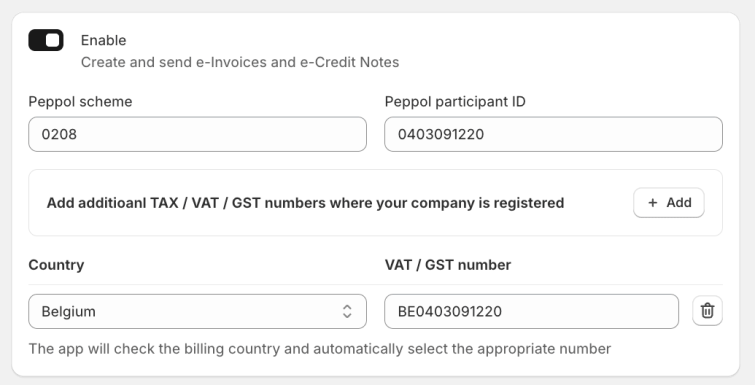
Open the Oxilayer Invoice app and go to the settings. Enable the e-invoice option, fill in your own Peppol scheme, participant ID and VAT / GST numbers of the countries where your company is registered. The app will check the billing country of the order and automatically select the appropriate number.
During this step, we recommend creating a Recommand account and connecting it to the app. Recommand is a PEPPOL access point, which is required to transfer e-invoices via the network. It has a free tier plan with 25 documents per month, which is more than enough to get started. The Oxilayer app will not charge anything extra for sending documents.
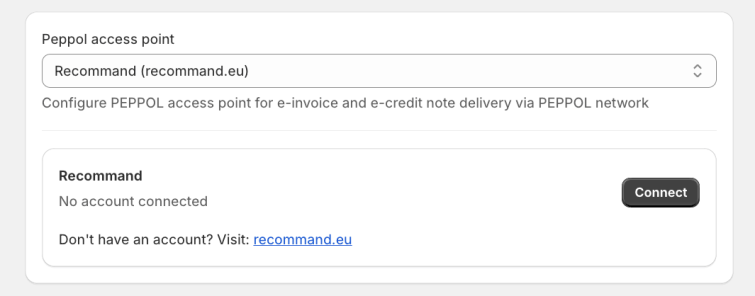
Once connected, choose which company to use when sending documents, and you are ready to send your first e-invoice.
Step 2: Collect customer Peppol ID on the Thank you page
The next question is: how do we get the customer’s Peppol participant ID? The easiest way is to ask the customer right after the purchase.
Using the Shopify theme editor, you can add the Oxilayer app block to the Thank you and Order status pages. The block asks the customer to provide their Peppol scheme and participant ID, and after submitting the form, the customer gets the e-invoice automatically.
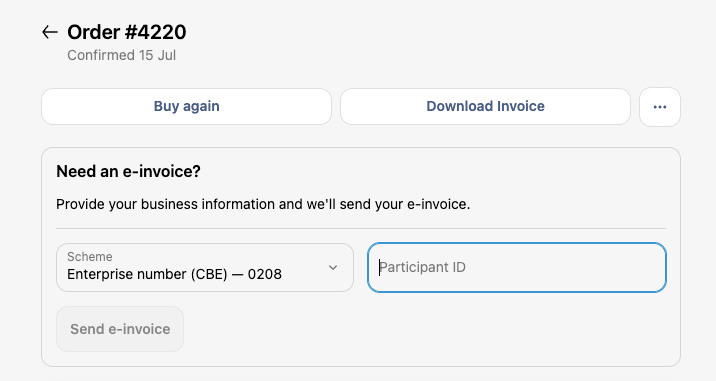
This is the least intrusive way to collect business information – the customer sees the form right after checkout, exactly at the moment when they think about the invoice.
Step 3: Automate e-invoice sending
The app also has built-in automation, which is an alternative to the Thank you page form. In many countries, the VAT number matches the Peppol participant ID. In this case, you can send the e-invoice automatically, without asking the customer to provide the participant ID and scheme at all.
Go to the Automations page in the app and enable the “Send e-invoice” automation.
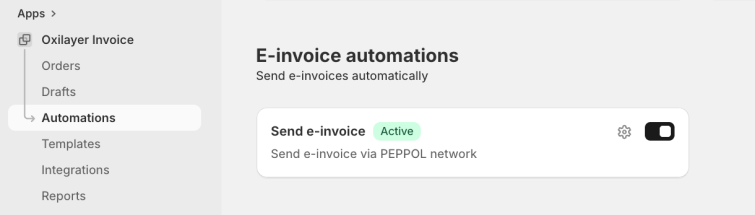
In the automation settings, you can configure:
- When to start – for example, when the order is fulfilled
- Sending condition – send only if the Peppol participant ID is available, or fall back to the VAT number when only a VAT number exists
- Countries – limit the automation to specific countries, for example Germany and Lithuania
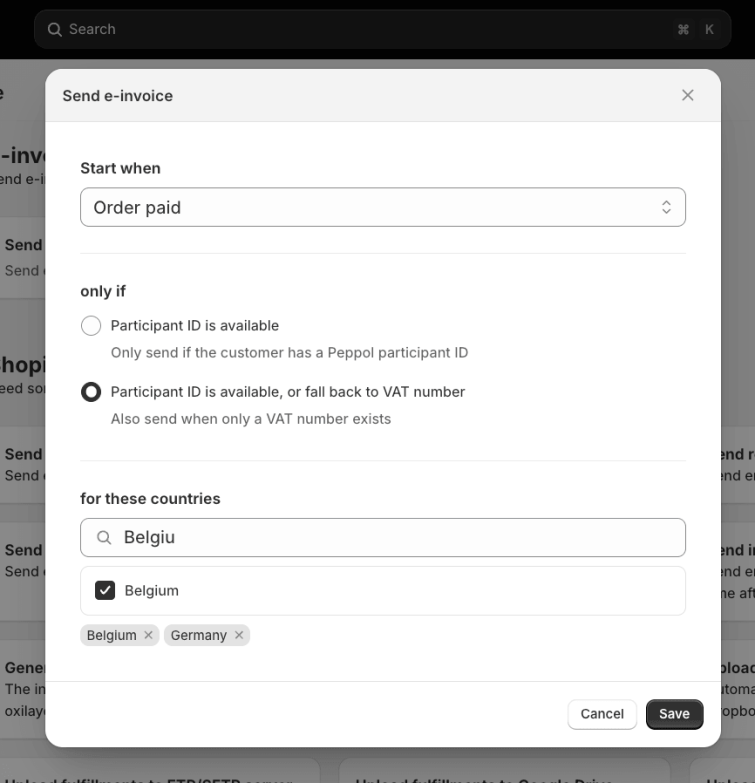
With this setup, e-invoices will be delivered to your B2B customers completely hands-free.
Step 4: Manage customer Peppol information in Shopify admin
Sometimes you need to review or update the Peppol information manually – for example, when a customer sends their participant ID by email. For this, the app provides an admin block, which you can add to the Shopify Order page and Customer page.
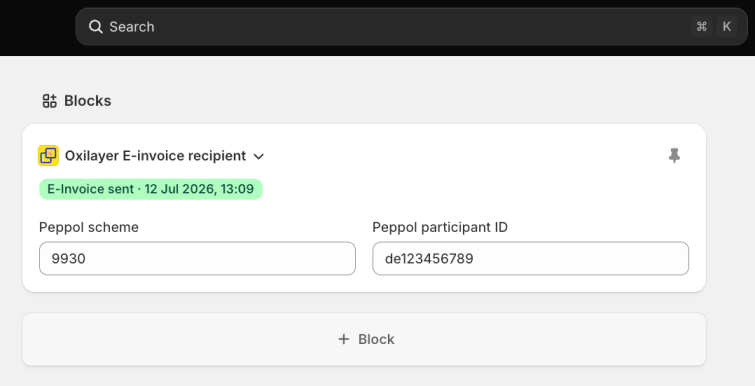
In this block, you can view and edit the customer’s Peppol scheme and participant ID directly from the order or customer view, without opening the app. Additionally It shows you if the e-invoice was sent and when.
Benefits of sending e-invoices in this way
There are several benefits of sending e-invoices in this way:
- E-invoices are delivered via the PEPPOL network directly to the customer’s accounting system
- The free Recommand plan covers 25 documents per month, and the app doesn’t charge extra for sending.
- Customers can request an e-invoice themselves on the Thank you and Order status page
- Automation can send e-invoices without any manual work, using the VAT number as a fallback
- Peppol information is manageable right from the Shopify order and customer pages
The Oxilayer Invoice app is available on the Shopify app store. It has a free plan with premium functionality. Feel free to try it out.
And here is the end of this read. I hope it helps someone, who was looking for a way, how to send e-invoice via PEPPOL in Shopify.

Edwin